Organize PDF · guide
What Split PDF does
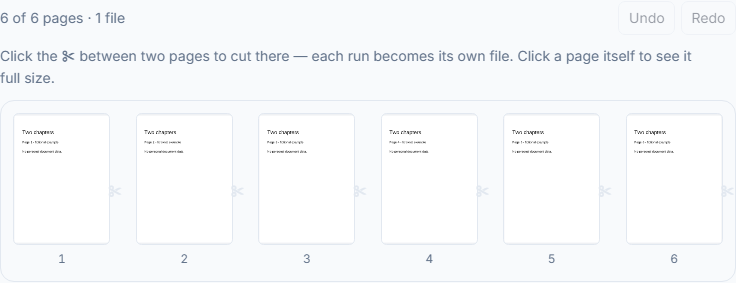
Split PDF cuts one PDF into several files. Click the scissors after any page in the preview to place a cut, or type page groups such as 1-3, 4-6, and each group becomes its own PDF. Pages are copied without being re-encoded, so nothing loses quality, and each file keeps the bookmarks for its own pages. For one file per page, equal parts, a size limit or chapters, use Split PDF by size or bookmark. The file is never uploaded.
How to split a PDF into separate files
- Choose one PDF Select the PDF to split. It opens in this browser tab and is not uploaded.
- Place the cuts Click the scissors after any page to cut there, or type groups such as 1-3, 4-6, 9 in Page groups. Each group becomes its own PDF. Pages left out of every group are not shown in any file, but a file can still carry hidden copies of pages that its own pages link to, and of images or drawings that its pages share with the pages you left out. Do not rely on Split to keep confidential pages out of a file you send.
- Split and save Select Split PDF, check the number of files and pages in the result, then save them one by one or together with Save all (ZIP). The original file is left as it was.
Worked example
Send two chapters separately without including the rest of a report.
- Starting point
- Use a six-page PDF with chapter one on pages 1–3 and chapter two on pages 4–6.
- What to do
- Enter the page groups 1-3, 4-6, or place a cut after page 3 in the visible grid. Review the groups before running Split.
- Result
- Expect two PDFs with three pages each. Open both and check that the second result begins with original page 4.
If the result is not right
For every-N-pages, approximate file size, bookmarks, blank pages or page-start text, use Split by size or bookmark instead of entering every group by hand.
Limits worth knowing
- A comma separates outputs. Pages omitted from every group will not appear in any result, but remain in your original file. Links that jump to another page may not work in the results, so click through any you rely on.
- This workflow stops on interactive forms rather than risk losing their fields. Use Flatten first and check every visible answer in that saved copy, then open the flattened PDF here. Keep the editable original; protected or XFA forms may need a compatible form application first.
Questions and answers
How do I split a PDF into single pages?
Use Split PDF by size or bookmark, choose Every N pages and set N to 1: you get one PDF per page, each named after the original with a number. Split PDF itself is for cuts you place or groups you type, which for single pages would mean a cut after every page.
What happens to pages I leave out of my page groups?
They are not shown in any file, but they may not be absent from the bytes: if a page you keep links to one of them, or the pages share images and drawings, parts of it can still be inside a file. Typed groups also set the order, so 5-8, 1-4 makes a first file of pages 5 to 8 and a second of pages 1 to 4. Each page can go into only one file: list a page twice and it stays in the first group that names it. If two files need the same page, such as a shared cover, run Extract PDF pages once for each file instead.
Can I split a very large PDF, such as a 200 MB scan?
Yes, within your device's memory. Nothing is uploaded, so there is no size cap, but the tab holds the whole file and the new pieces at the same time, which a laptop handles more easily than a phone. The grid draws pictures for the first 600 pages and shows the rest by number, still ready to cut. Save all (ZIP) packages up to 512 MB of results; above that, save the files one by one.
What are the new files called, and can I rename them?
Each is named after the original with a number, such as report-1.pdf and report-2.pdf. Rename opens a box for a new name, and ticking the option to use it for all the files gives the whole set one numbered series, such as contract-1.pdf, contract-2.pdf. Save all (ZIP) downloads them together as filozy-results.zip.
Do bookmarks survive the split?
Each file keeps the bookmarks that point at its own pages, re-pointed to where those pages now sit, and a chapter heading stays when one of its sub-bookmarks lands in that file. A bookmark whose page went to a different file cannot follow it there. Every file also keeps the original's title and author.